DaySteps Classroom Sessions · In development
Run one routine together—or let each student set the pace.
Teachers can build classroom routines today. The planned session experience will support Guided or Self-Paced routines, student joining, and live progress.

Classroom session hosting, student joining, and live progress are not available yet.
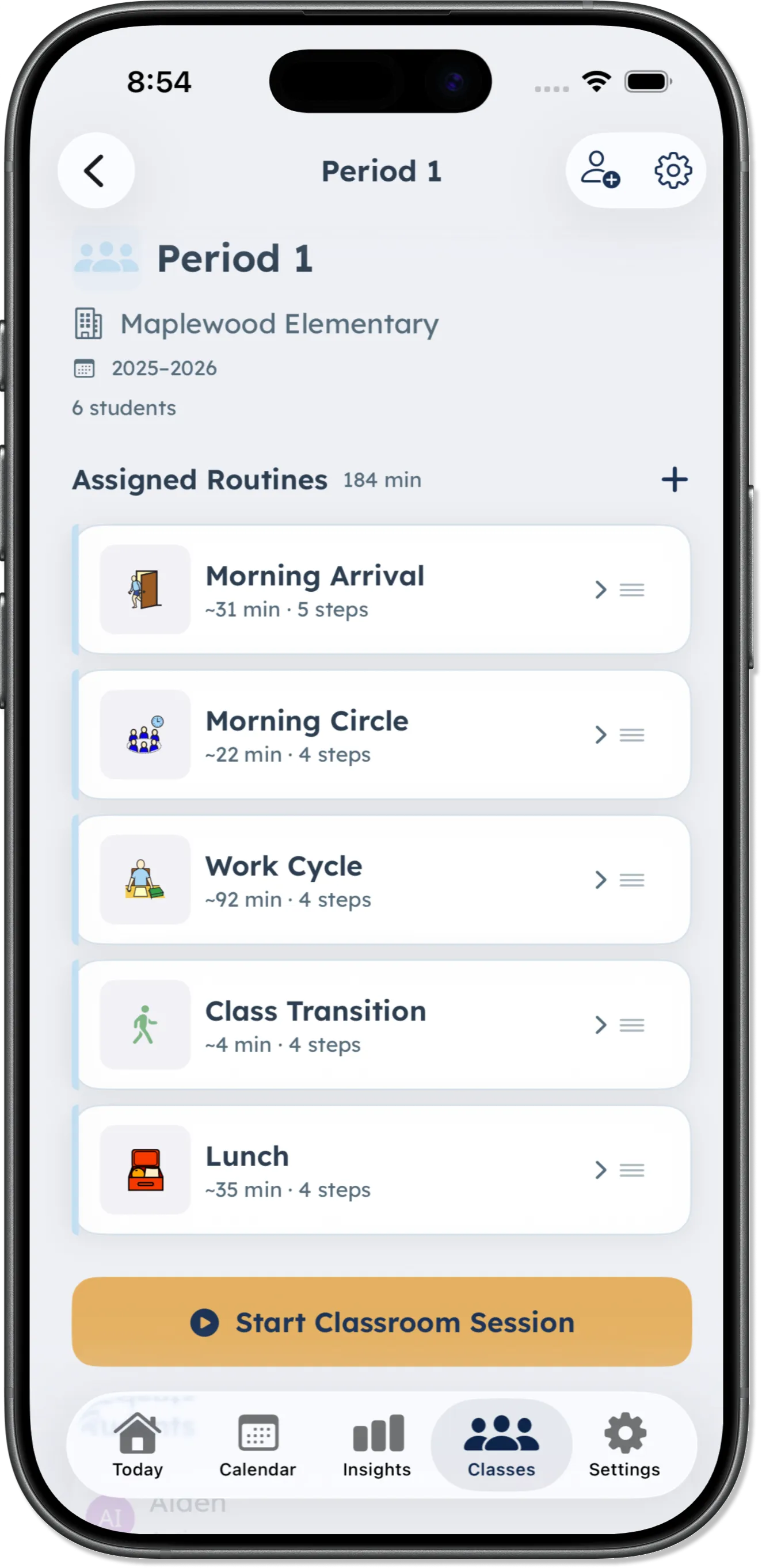
Preview of the planned classroom-session experience.
Planned connection flow
A parent will connect the child before the session starts.
Each class has its own code. In the planned flow, a parent enters it in DaySteps to connect their child to the class, and an active session then appears in the child’s app. None of this is available yet.
-
Step 01
Share the class code
The teacher would give the parent the code for the class.
-
Step 02
Parent connects the child
The parent would enter the code in DaySteps to connect the child to the class.
-
Step 03
The session appears in DaySteps
With a session active, the connected child would open it from the app.
Assign the routine
Choose the routine before the room needs it.
Attach an existing DaySteps routine to the class — that part is available now. In the planned session, you open the class and tap Start Classroom Session.
-
Use an existing routine
Choose a routine that is already in DaySteps.
-
Keep assigned routines ready
The class screen keeps its assigned routines available for future sessions.
-
Start from the class
In the planned session, you open the class and tap Start Classroom Session, then choose the session mode.
Planned session modes
Move together, or let each student set the pace.
The teacher would choose how the routine runs for that session.
-
Guided
Would keep the room on one shared step, with the teacher’s Advance control moving everyone forward together.
-
Self-Paced
Would let each connected student move through the routine independently in DaySteps.
-
Live teacher view
Would show the shared step, connected-device count, or live progress for connected students, depending on the selected mode.
In Guided
Guided is designed to offer two views of the same session: Timer, showing the current step and how many devices are connected, and Monitor, listing the connected students.
Planned recording limits
Live progress, without a classroom score.
The planned session would store participation and steps completed for connected students, for the teacher to use while the session runs. Educators would still not receive DaySteps Insights, class averages, reports, or exports.
-
What would be recorded
Participation and steps completed, stored with the session for connected students.
-
Visible during the session
The teacher would see live step progress appropriate to the selected mode.
-
Not turned into analytics
No classroom Insights, trend report, class average, or export would be created.
Calm by design
No points. No rankings. No class score.
The routine can guide the room without turning participation into a competition. Classroom Sessions creates no leaderboard, behavior score, or class average.
Build the classroom routine now.
Create a teacher account in DaySteps on iPhone or iPad. Classroom sessions are still in development.