DaySteps Insights
See the pattern without turning the day into a score.
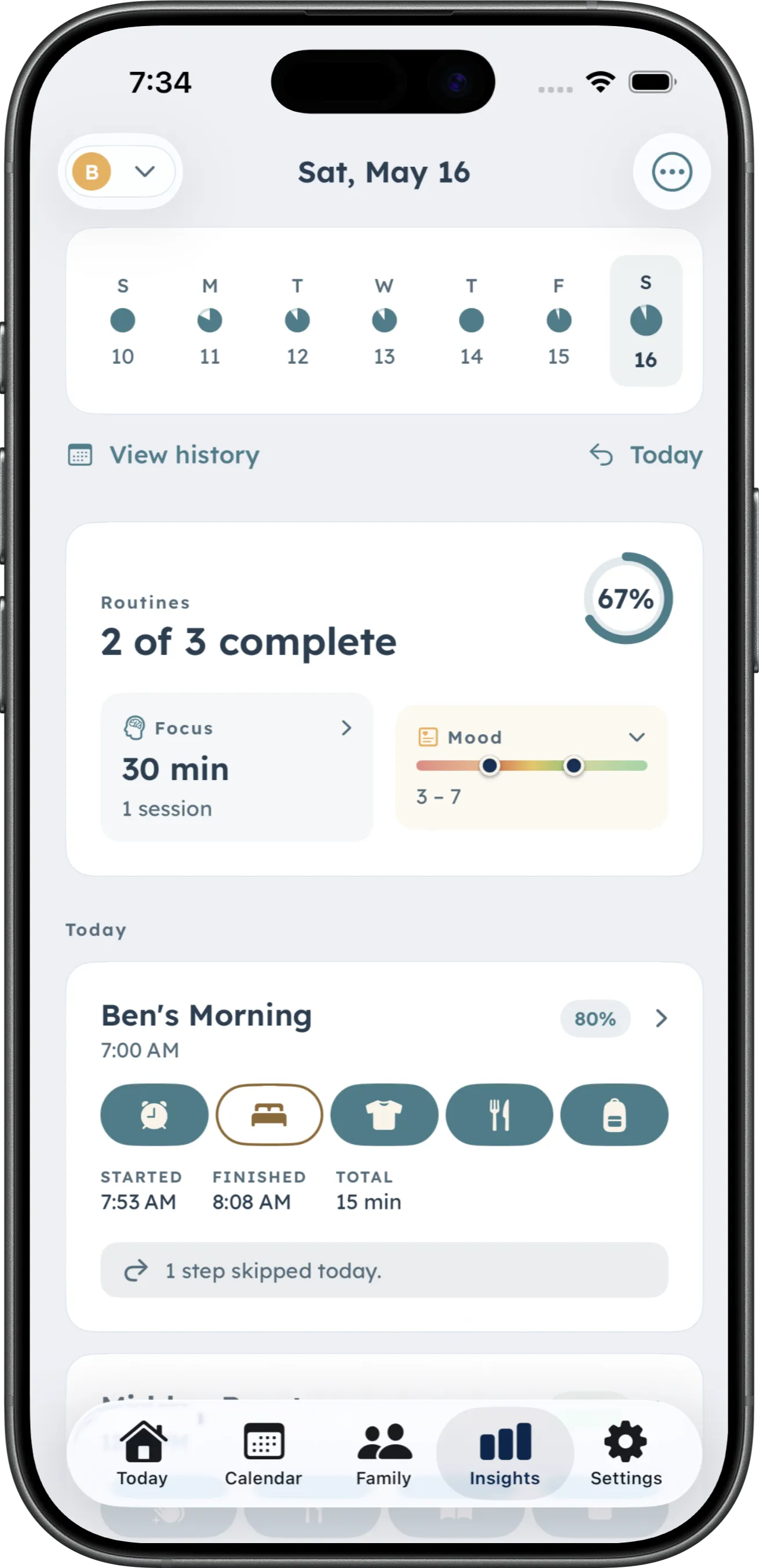
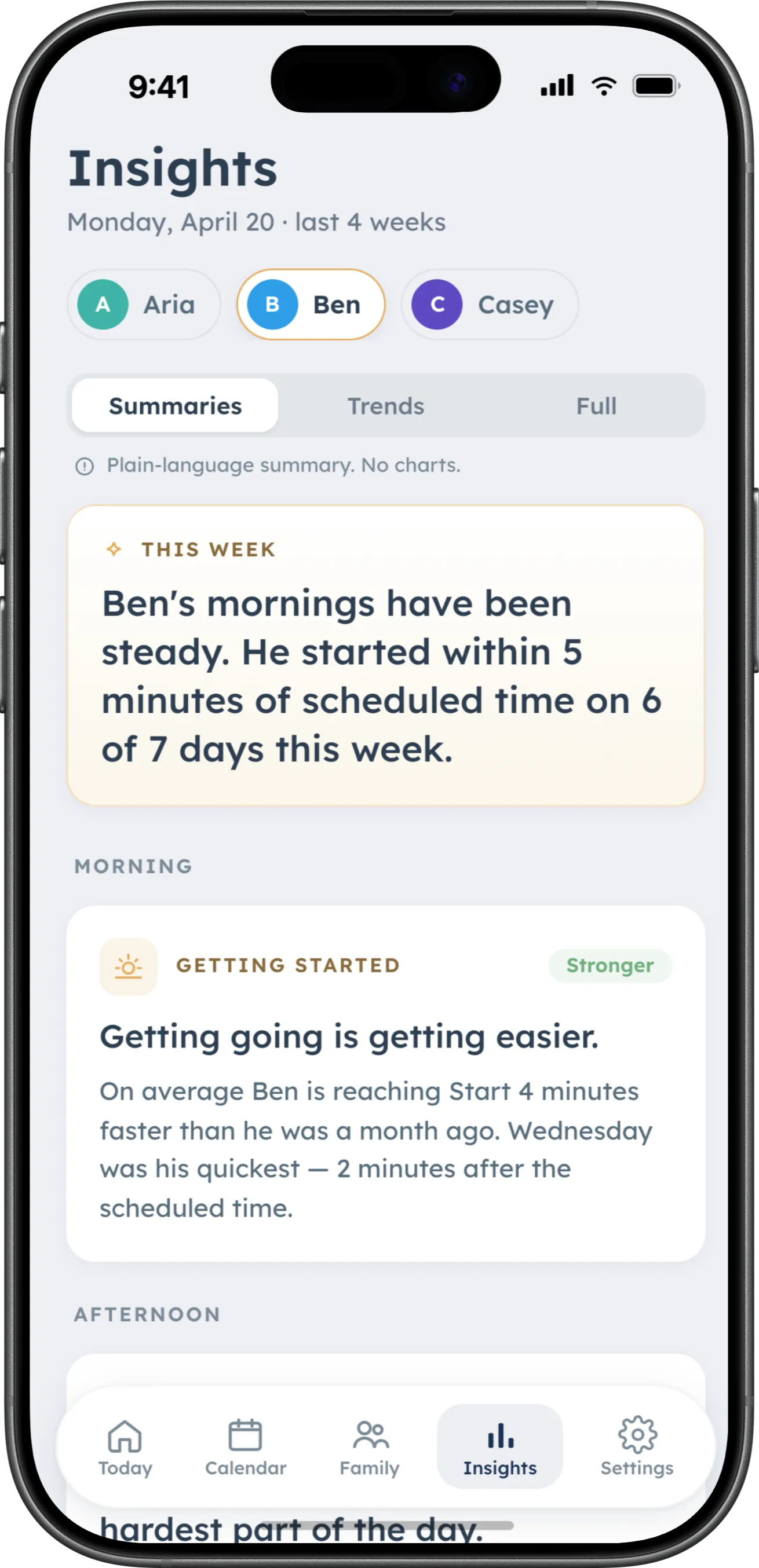
Review routines, focus sessions, and optional mood check-ins over time. See completion, when routines actually started, step-level patterns, focus minutes, and self-reported mood—all inside DaySteps.

What Insights shows
Start with what happened.
Routine and Focus activity is captured as those tools are used. Mood is added only when someone chooses to check in. Nothing is reduced to one score.
-
Routines
Completion, start timing, and per-step patterns.
-
Focus sessions
Session activity and focus minutes as part of the day’s context.
-
Mood
Self-reported best and hardest moments, with optional context.
Routine patterns
Not just whether it finished.
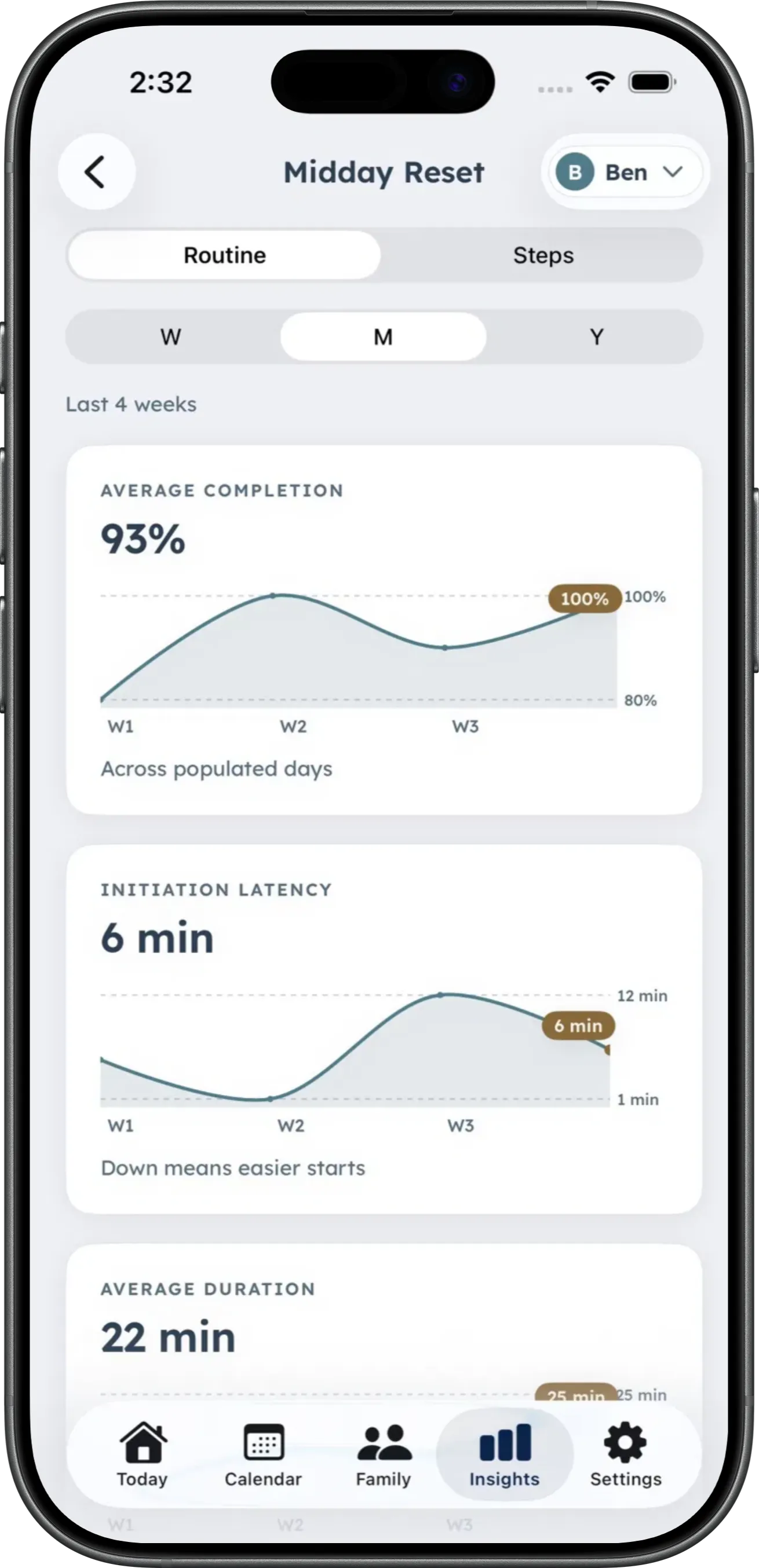
Review completion over time, the gap between a scheduled start and an actual start, and per-step trends inside a routine.
-
Completion over time
See how completed routines vary across days.
-
Start timing
Compare when a routine was scheduled with when it began.
-
Per-step trends
Open a routine to review completion for individual steps.
History
DaySteps Free includes today’s Insights. Full Insights history is part of the Family plan.
Focus + Mood
Add context without turning it into a conclusion.
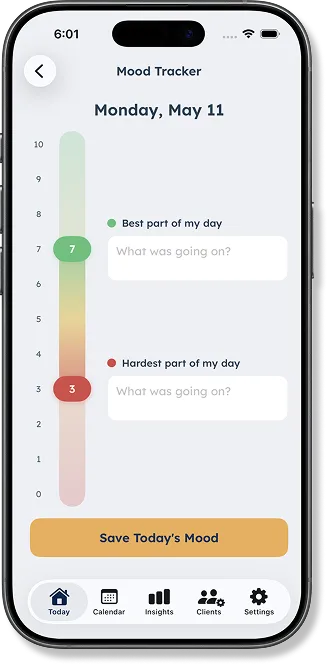
Focus sessions show activity and minutes. Mood comes from optional self-reported ratings of the day’s best and hardest moments, with room for context. DaySteps does not infer mood from routine performance.
-
Focus activity
Review focus sessions and minutes.
-
Best and hardest
Capture two separate 0–10 ratings instead of flattening the day into one value.
-
Context when wanted
Add an optional note about what was happening.
A day without a mood entry is not treated as a low score.
Clear limits
Patterns, not grades. Context, not conclusions.
DaySteps does not score a child, compare people, or make clinical decisions. Insights stay inside the app—there is no PDF, report, export, or share sheet today.
No ranked list of skipped steps. No automated recommendations. No comparisons across children, clients, or students.
Read the science behind itLook back with context, not judgment.
Download DaySteps free on iPhone and iPad.