DaySteps for Clinicians
Support families between sessions. Keep parents in control.
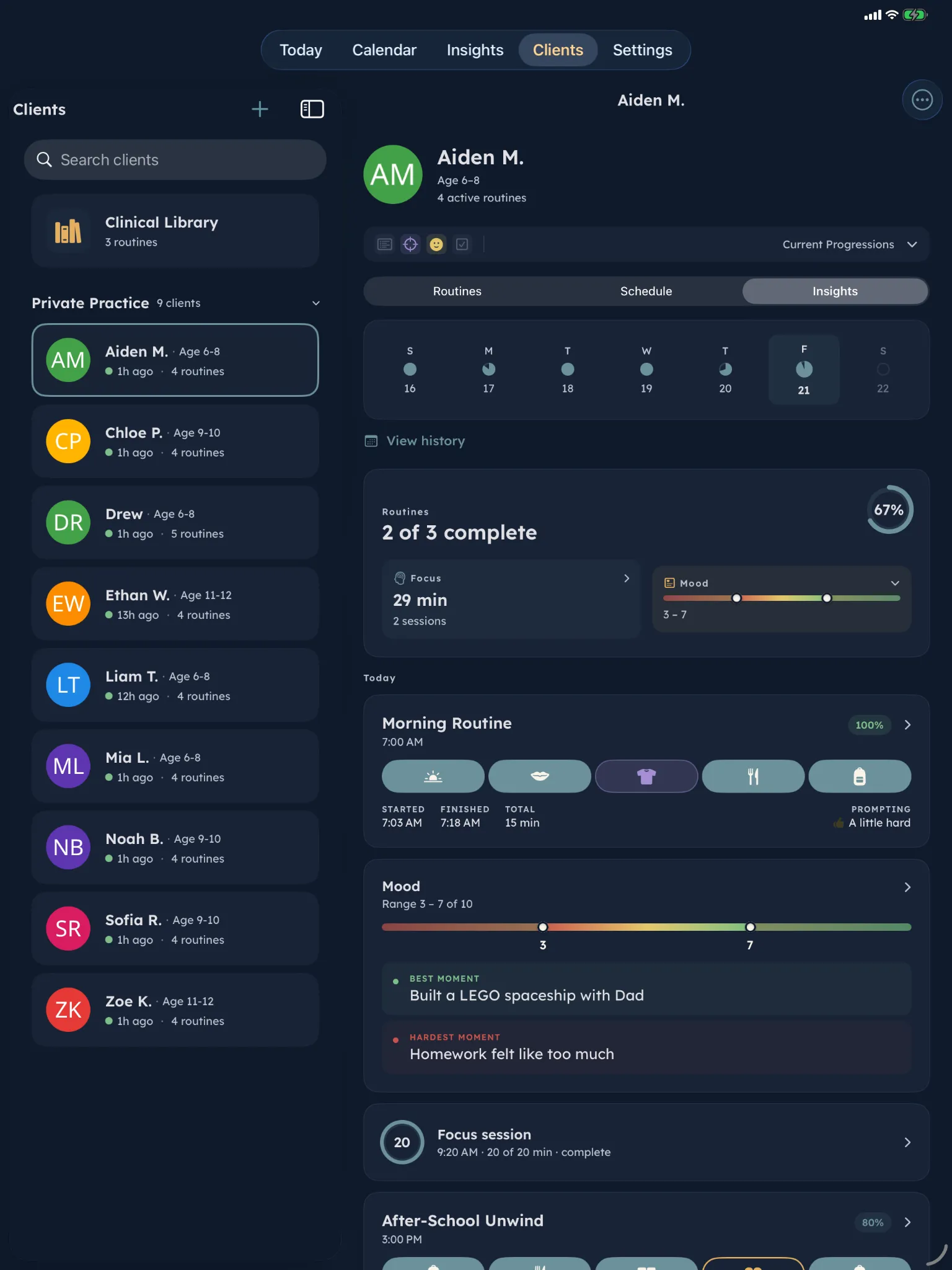
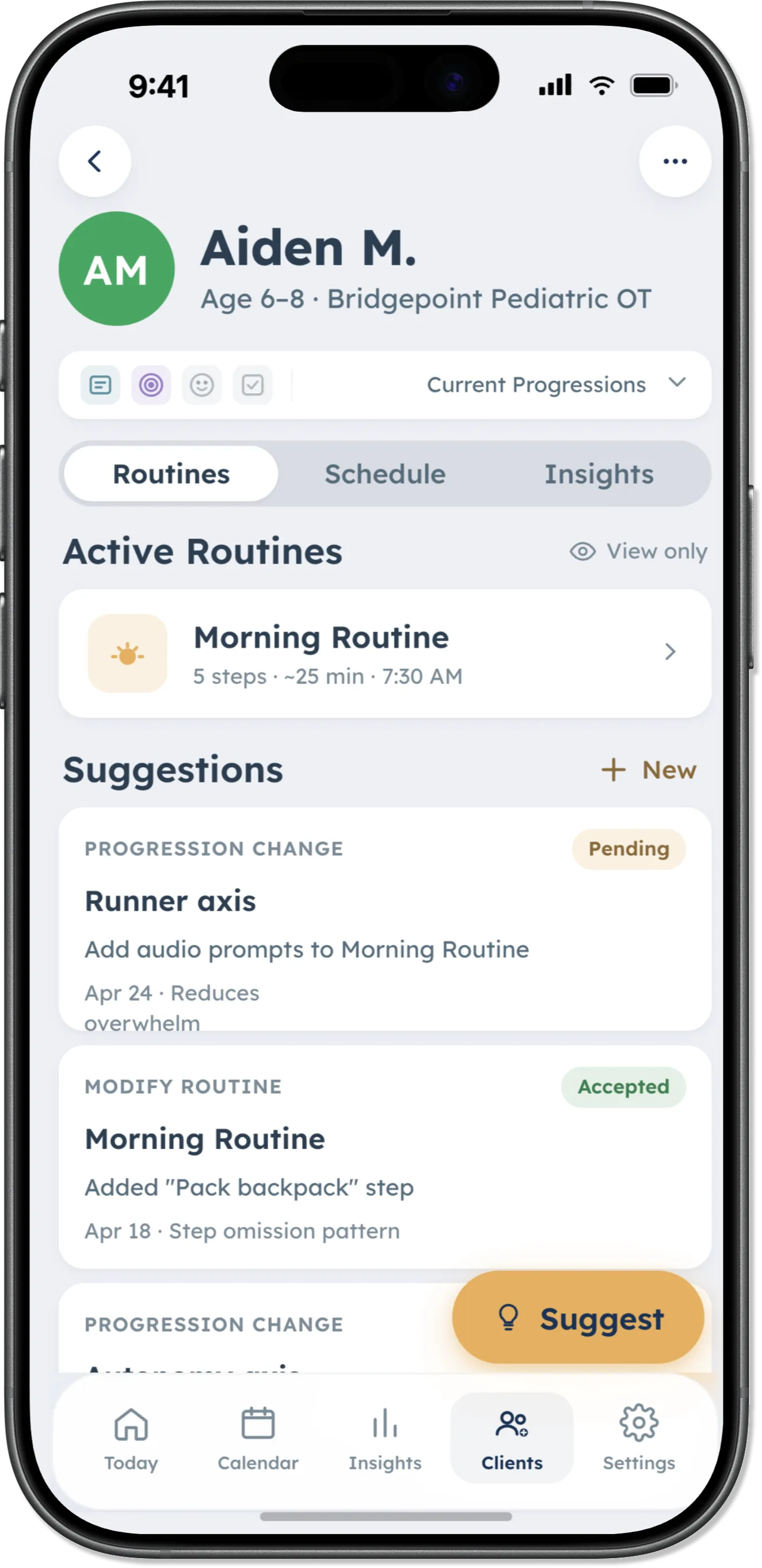
Use your Clinical Library during sessions, review permitted patterns from connected families, and send structured suggestions that parents review before anything changes.

How it works
Useful in session. Connected between sessions.
Start with your own Clinical Library. Add a family connection only when it supports the work.
-
Step 01
Use your library in session
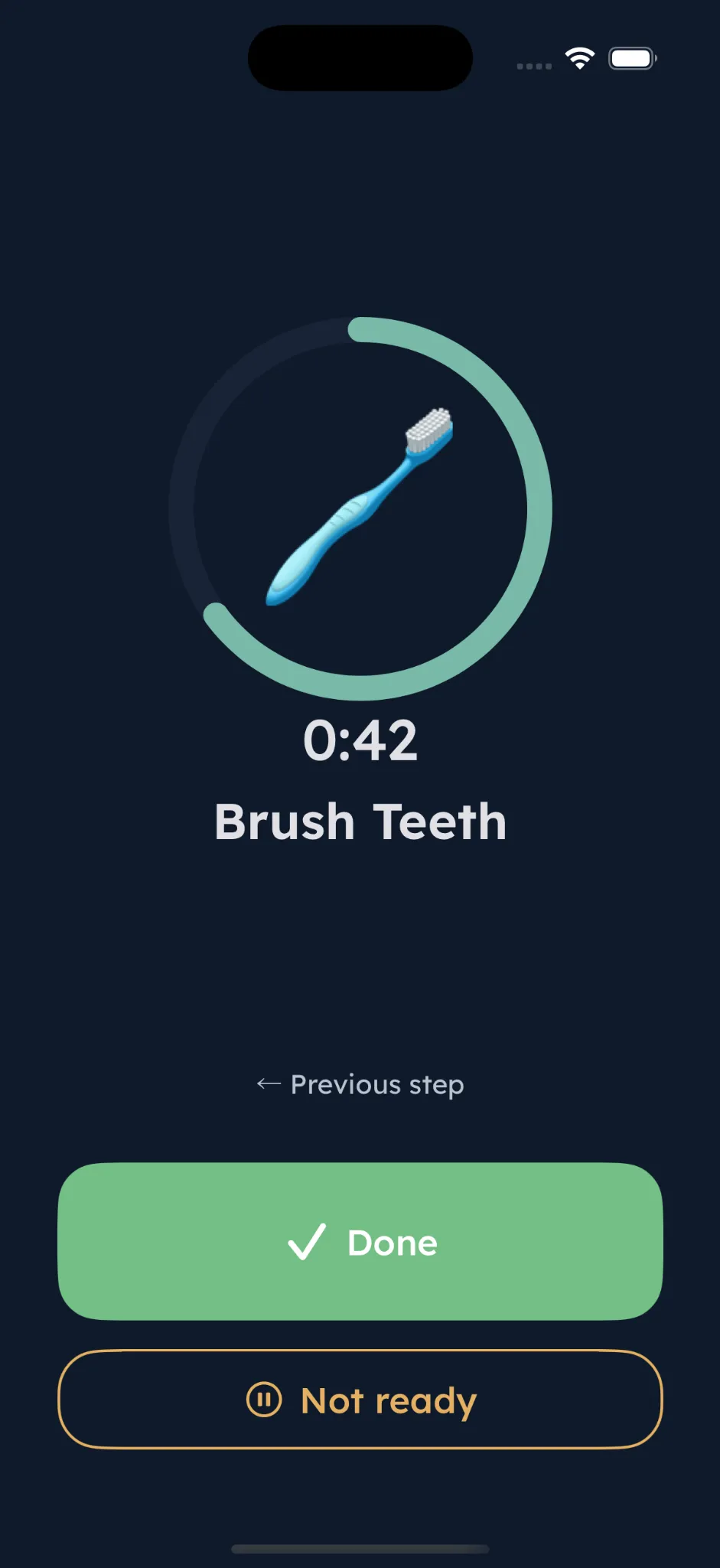
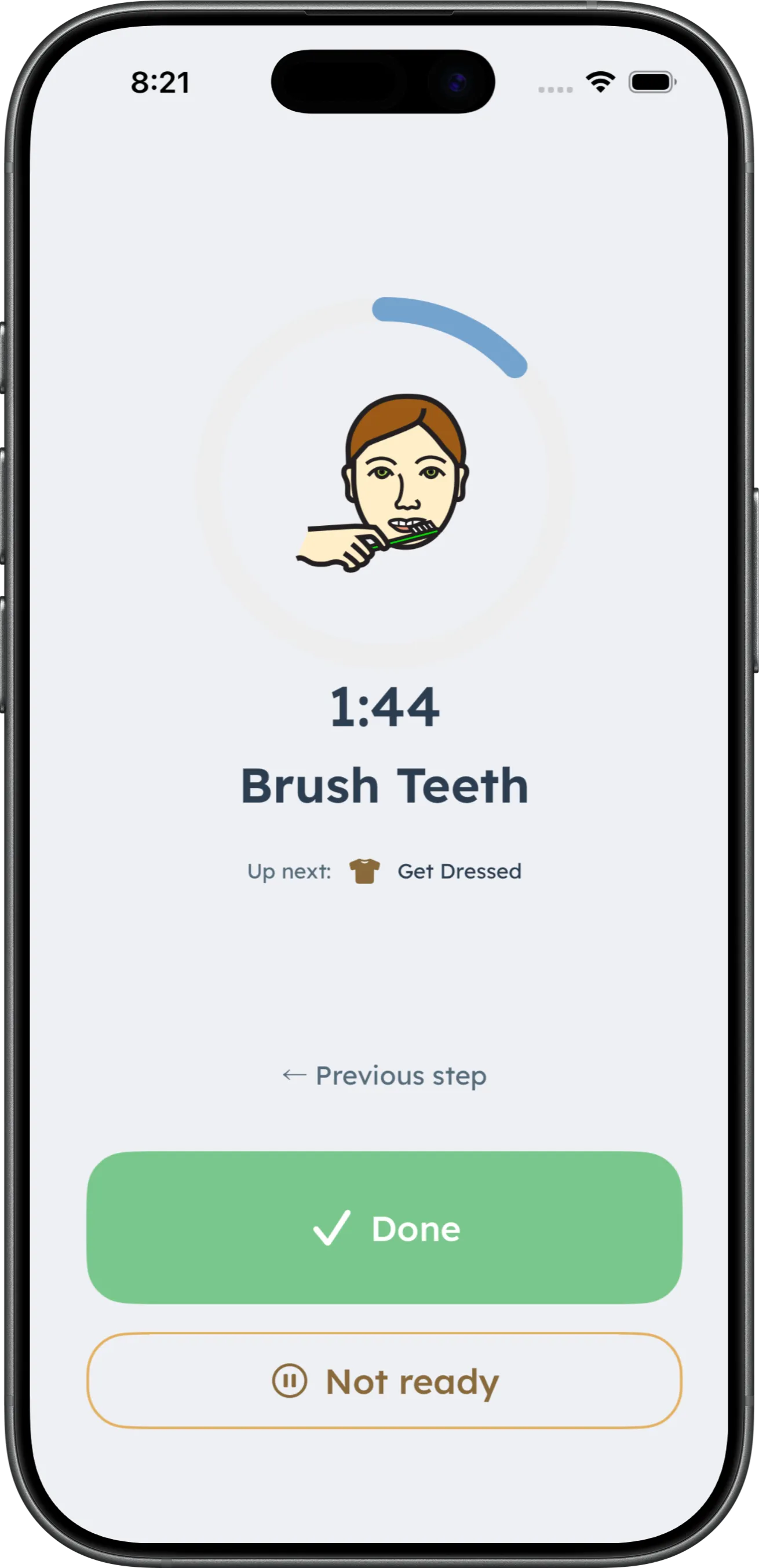
Open a routine from your Clinical Library and run it live with a client. No family connection is required.
-
Step 02
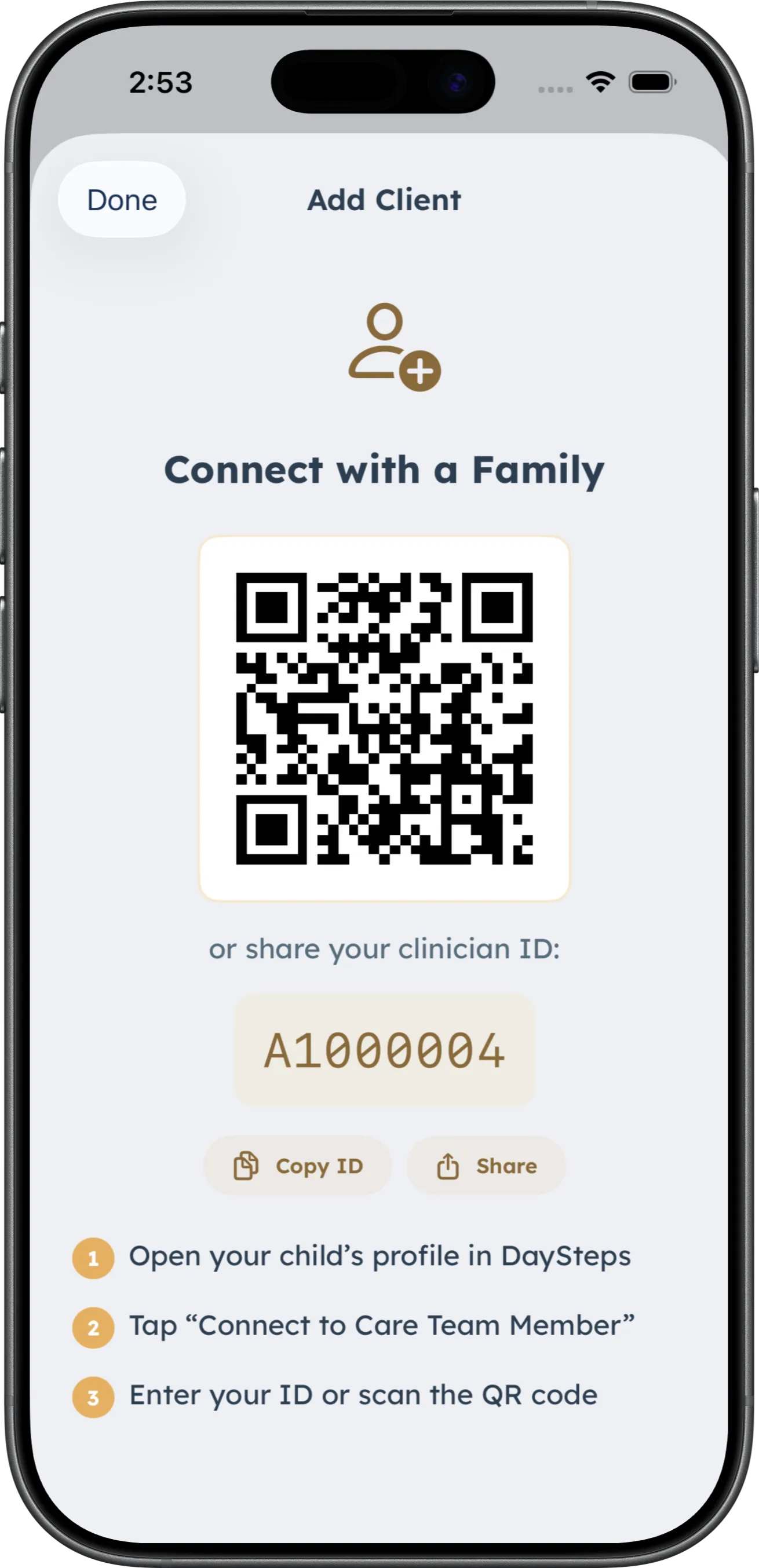
Connect when a family is ready
The parent approves the connection and controls what information is shared.
-
Step 03
Review context and suggest a change
See permitted patterns and send a structured suggestion for a specific parent-created routine. The parent reviews it before anything changes.
Between-session context
Review patterns from daily use. Keep clinical judgment with you.
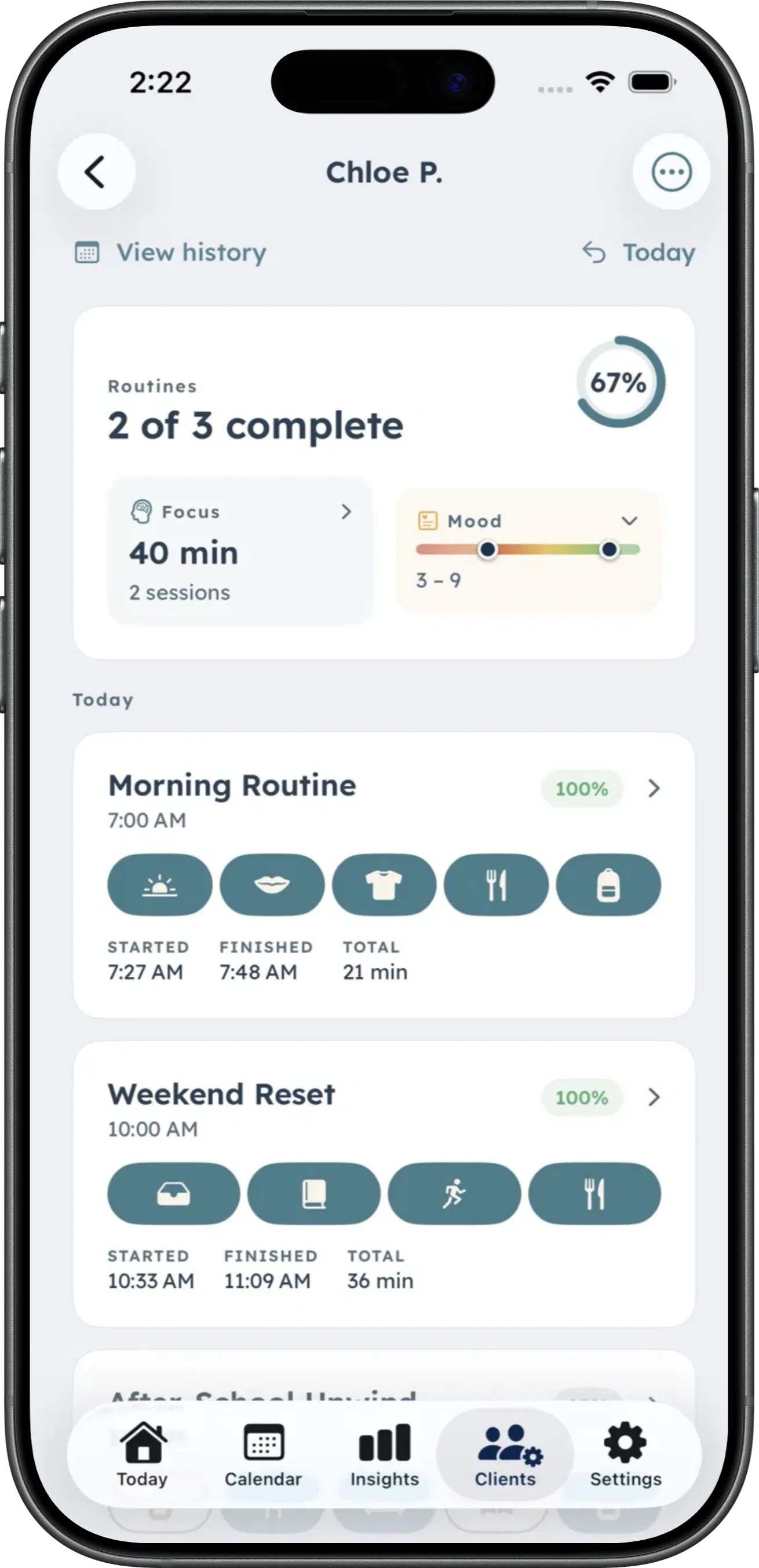
Connected Care Team members can review permitted information across routines, focus, and mood inside DaySteps. The app surfaces context; it does not make clinical decisions.
-
Routines
What happened in the routine
Review completion, initiation timing, and step-level friction.
-
Focus + Mood
Context around the day
Focus-session activity and optional mood check-ins add context without becoming a score.
-
Support settings
The scaffolding in place
View parent-set support levels and recommend one structured change at a time.
Current scope
Insights stay inside DaySteps. The app does not currently create exportable clinical reports or documentation.
Practice access
Practice includes Family access for connected households.
DaySteps Practice adds clinician tools, and every connected client household receives Family access at no cost while the connection remains active.
-
In session
Clinical Library
Open and run routines live without connecting a family.
-
Between visits
Connected client views
Review permitted patterns and support settings.
-
For families
Family access included
Connected households receive Family access while the connection remains active.
Clinical integrity
Grounded in research. Clear about its limits.
DaySteps is grounded in published research on executive function, visual activity scheduling, time perception, and systematic prompting. It is a compensation and support tool, not a treatment, diagnostic tool, or replacement for clinical care.
The child experience has no points, streaks, or failure states.
Explore the clinical philosophyBring DaySteps into your practice.
Download DaySteps free on iPhone and iPad. Explore Practice when you are ready to connect families.