DaySteps for individuals
Keep the next step clear, even when the day changes.
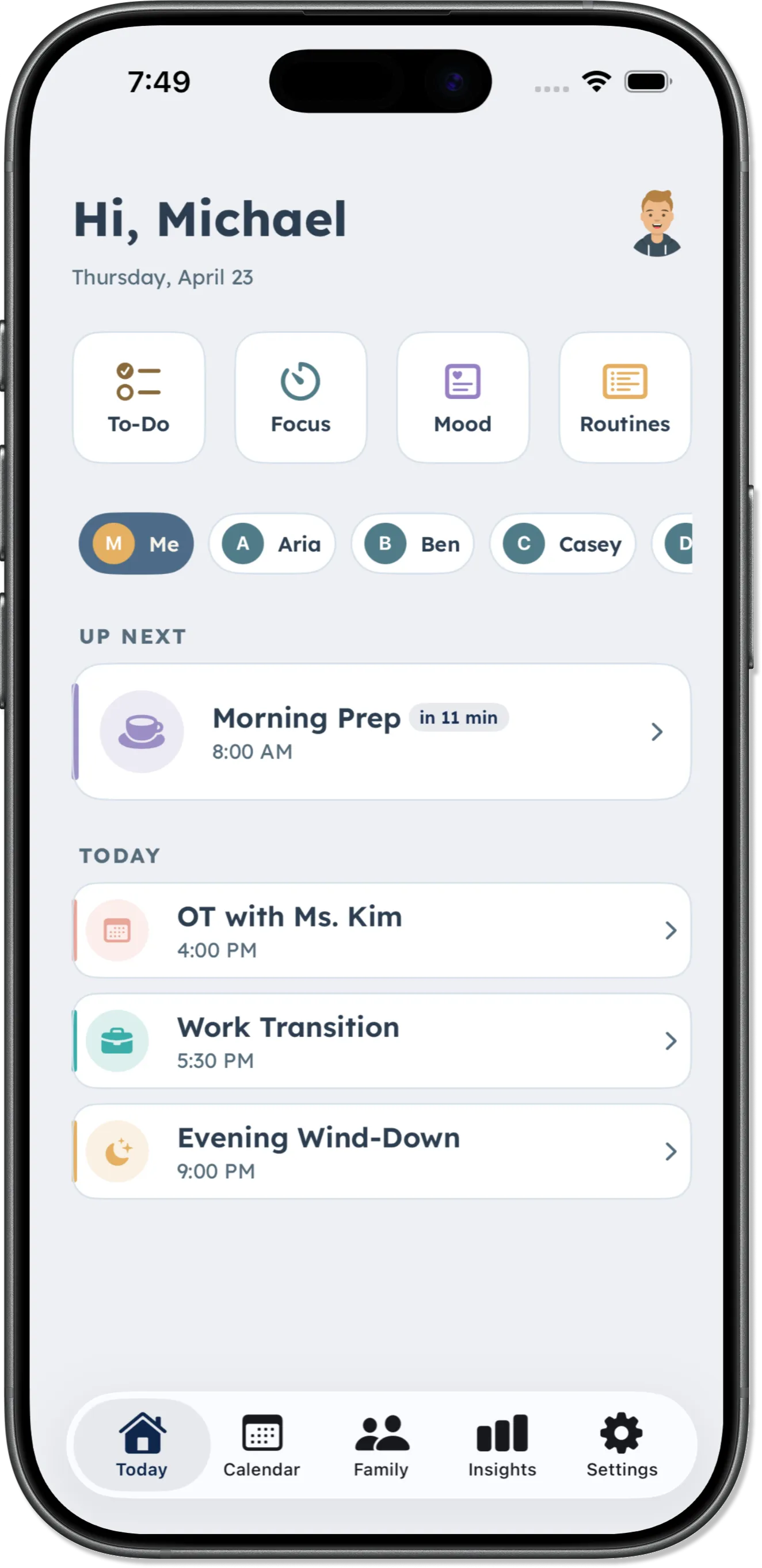
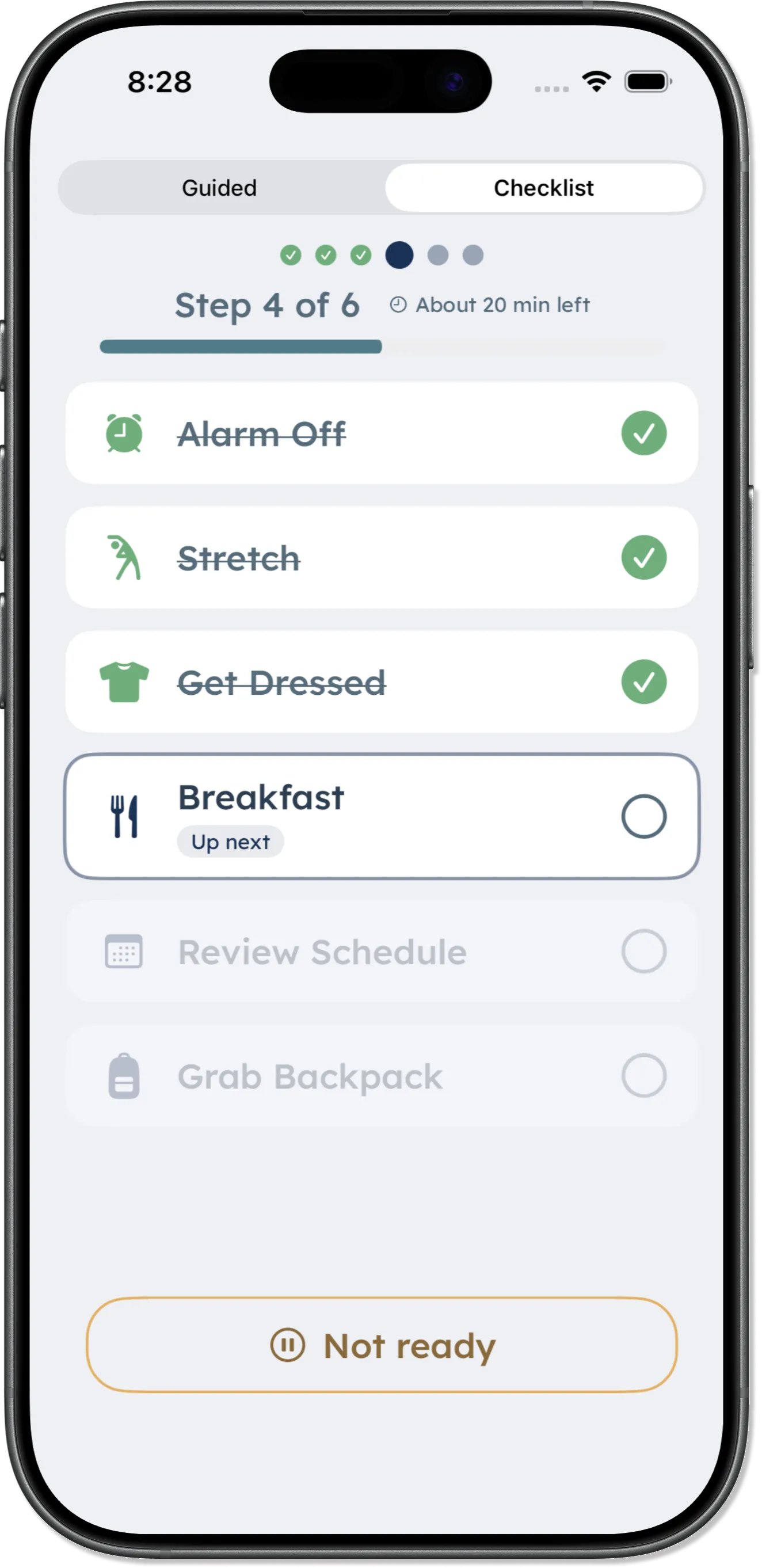
Build repeatable routines, keep one-off work in To-Do Lists, make time visible with Focus, and review optional patterns—all inside DaySteps.

One place
The work that repeats. And the work that doesn’t.
Routines hold the sequences you return to. To-Do Lists hold what changes from day to day. Focus and Insights are there when time or context would help.
-
Routines
Build the order once, then follow it in the view that fits the moment.
-
To-Do Lists
Keep groceries, errands, packing, home, and other one-off work separate.
-
Focus
Start a flexible session when one task needs a visible boundary.
-
Insights
Review routine, focus, and optional mood patterns without turning them into a score.
Routines
Build the sequence once. Follow only what you need.
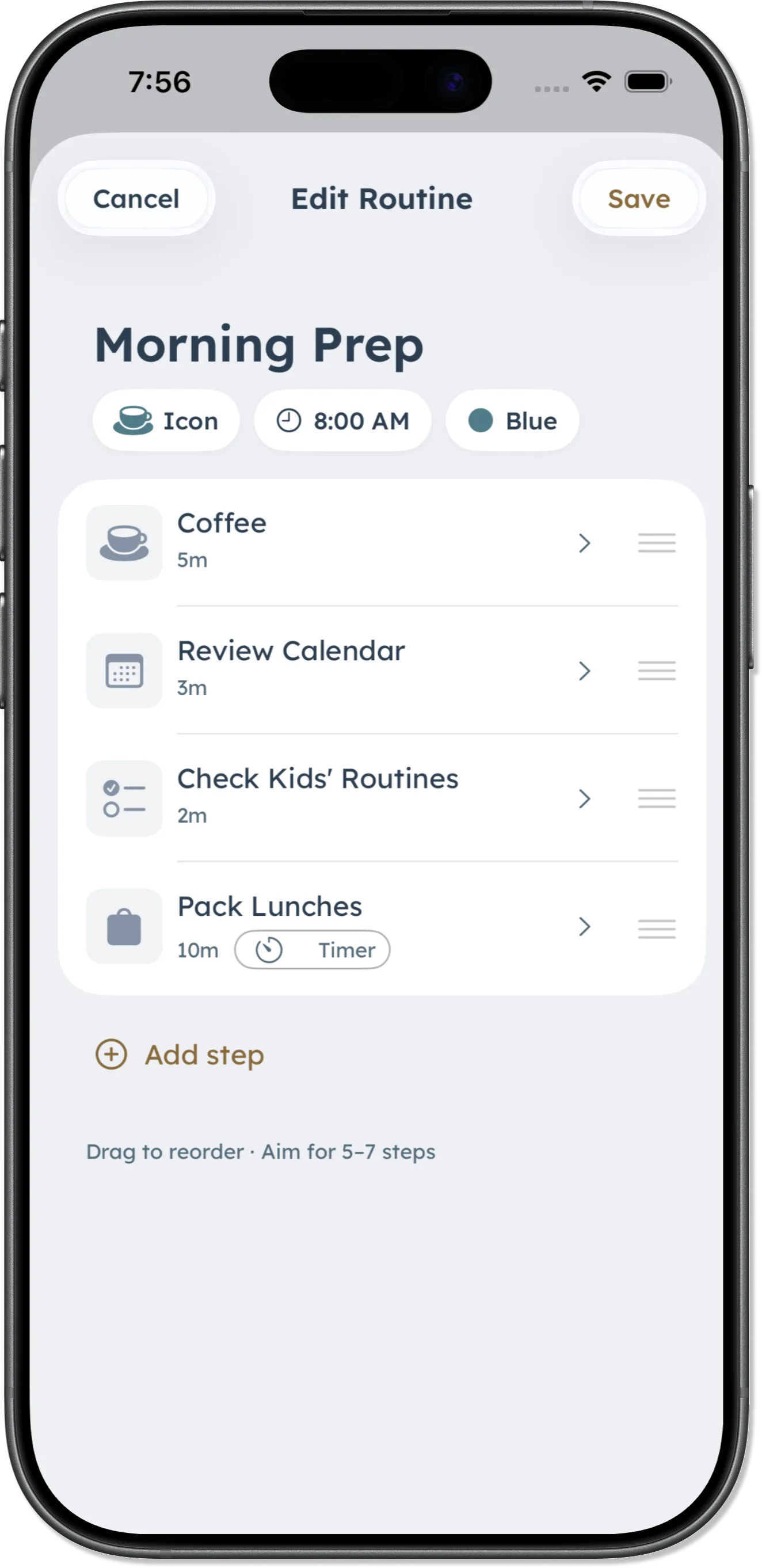
Set the order, timing, icons, and schedule once. When the routine runs, DaySteps keeps the next step visible without asking you to remember the whole sequence.
-
Build the sequence
Add steps in the order they happen, then revise them when the routine changes.
-
Make each step recognizable
Use icons and short labels that are easy to scan.
-
Use time only where it helps
Add an optional duration or countdown to an individual step.
Switch between Guided and Checklist whenever you like.
Daily Tools
Not everything needs to become a routine.
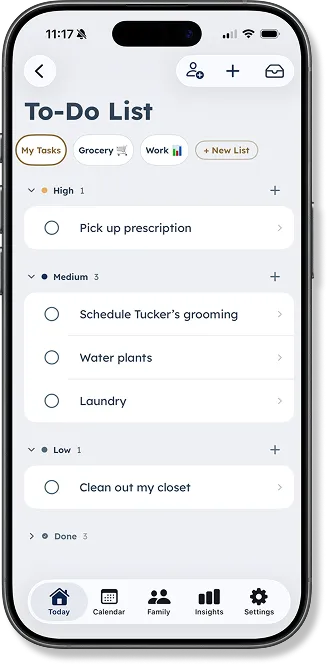
Use To-Do Lists for one-off work and Focus when one task needs a time boundary. Both stay separate from the routines you repeat.
-
Keep separate lists
Use different To-Do Lists for groceries, errands, packing, home, or anything else.
-
Organize the list your way
Add categories, reorder items, and add the next one without leaving the list.
-
Make focus visible
Choose a session length that fits the task, then start when you are ready.
Lists
DaySteps Free includes one personal list. Additional lists are part of the Family plan.
Optional context
Look back without grading the day.
Insights brings together routine completion, start timing, focus minutes, and optional mood entries. It shows what happened; it does not decide what the day meant.
-
Today is included with Free
See the current day’s Insights on the Free plan.
-
History is part of Family
Review patterns over time when full Insights history is included.
-
Mood stays optional
A day without an entry is not treated as a low score.
Calm by design
No streaks to protect. No day to fail.
An unfinished routine, a changed list, or a day without a mood entry does not become a penalty or a score. Come back when the next step is useful.
Give the next step somewhere to live.
Download DaySteps free on iPhone and iPad.